


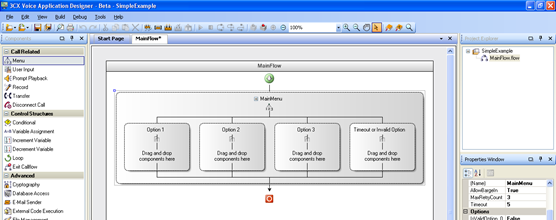
 Компания 3CX представляет новый релиз своего замечательного продукта для визуального проектирования сложных голосовых приложений на языке VoXML – Voice Application Designer build 3659.
В новой версии обновлен инсталлятор, исправлены выявленные ошибки и упрощена настройка окружения разработчика.
Исправленные ошибки (на языке оригинала):
- Debug visualization problem when debugging loops.
- When the project loading fails, user defined components are removed from the toolbox, avoiding duplicates.
- Invalid characters for XML are now ignored, allowing loading the project and files even after format transformations and network travel.
- GET_TABLE_ROW_COUNT function now returns the right value when the table is empty.
- Changes to the encoding during file saving and project deployment, in order to fix invalid characters problems.
- E-Mail Sender component does not validate correctly constant e-mail addresses for domain names starting with numbers.
- External Code Execution parameters now are sent in the right order to .NET libraries (before this change, they were being sent in alphabetical order).
- XML return values are now well handled by every component (for example, when returning an XML as a string from an External Code Execution component).
- File names containing dots are now well handled by the debugger.
- Bridge transfer mode removed from the Transfer component.
- NullReference exception fix when pressing OK in the Expression Editor form when “VAD Expression” is selected, but no function has been selected from the drop down box.
Улучшения для разработчика:
- При удалении пользовательского компонента, он автоматически отключается везде, где он был задействован.
- Упрощено развертывание готовых проектов. Теперь достаточно указать только web сервер, который используется 3CX, а остальные свойства подключения (порт, URL и т.д.) будут заполнены автоматически.
- Обновлен инсталлятор.
Полезные ссылки:






 Copyright © 2025